
Terminal de Control de Acceso DW200
DW200 access control terminal manual: integrated card/password/face reading and door control with large user/record capacity — overview, specs, install, modes and platform integration.
DW200 access control terminal integrates card/password/face (optional) reading and door control with large user/record capacity, for single/double door management. This manual covers overview, install and platform integration.
Product Overview
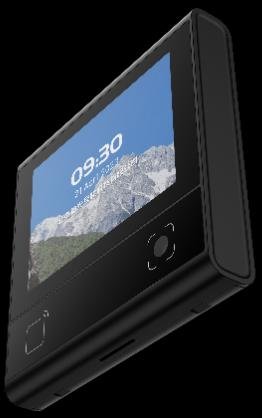
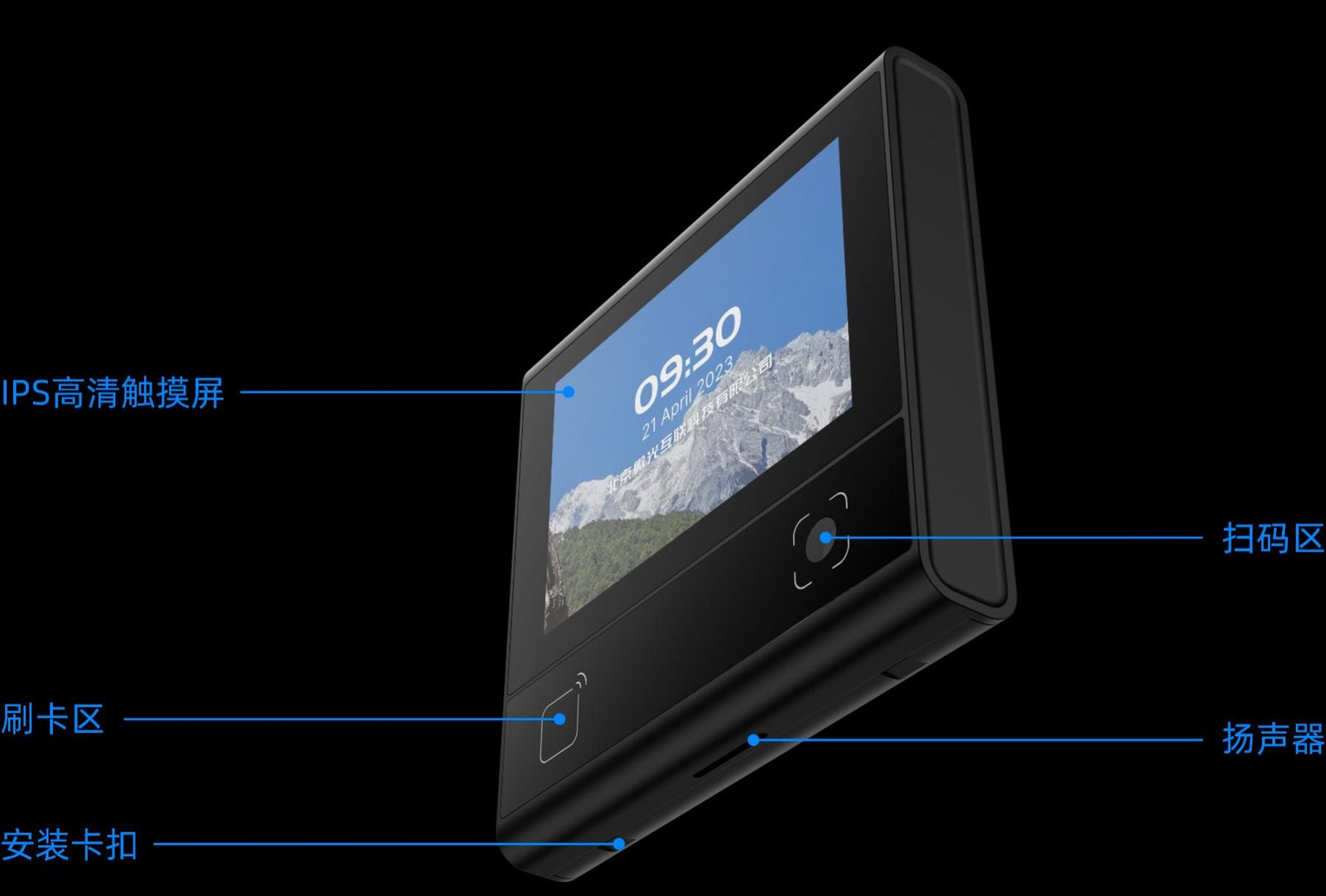
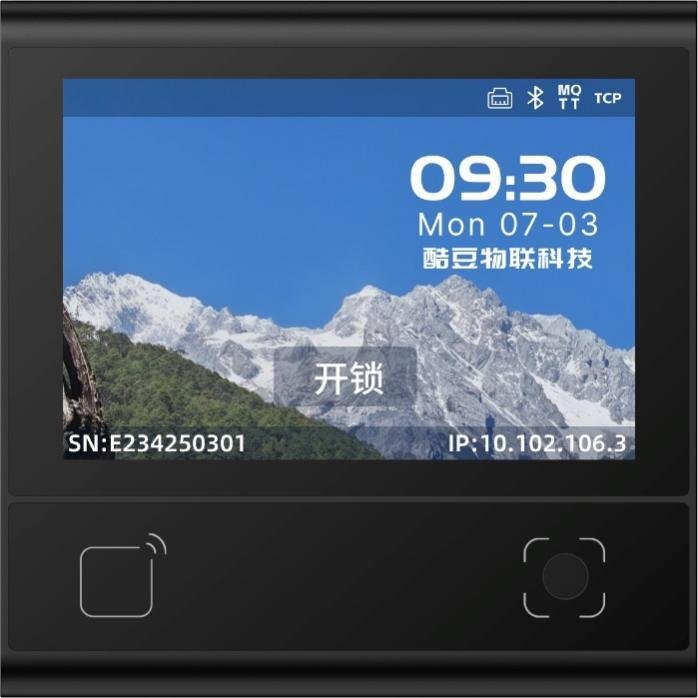
DW200 supports QR, RF card (incl. ID), password and optional face, on Linux, with a 3.33-inch IPS capacitive touch screen. For community, enterprise and campus access.
Features: ISO 14443A/B, CPU and ID card (optional); BLE 5.1; tempered-glass window; 86-box or non-86-box mounting. Package includes host, accessory kit (plastic pry bar) and manual.


Structure & Functions
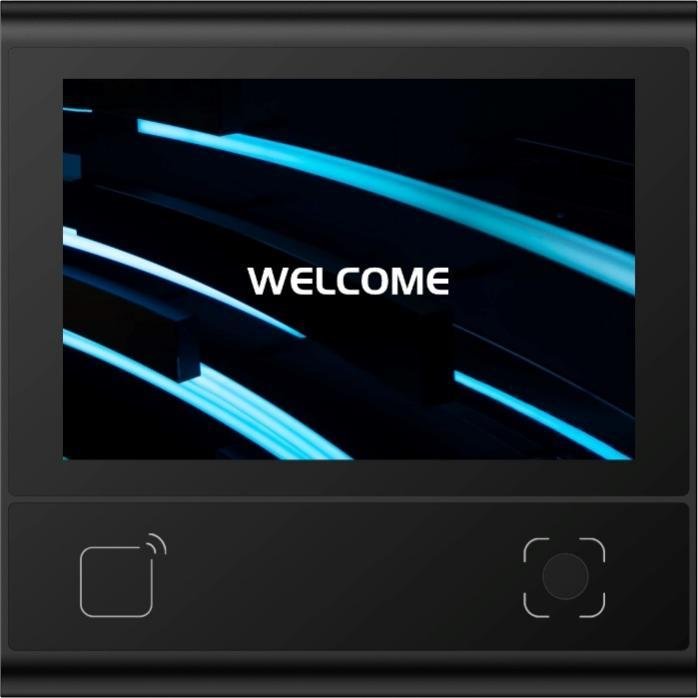
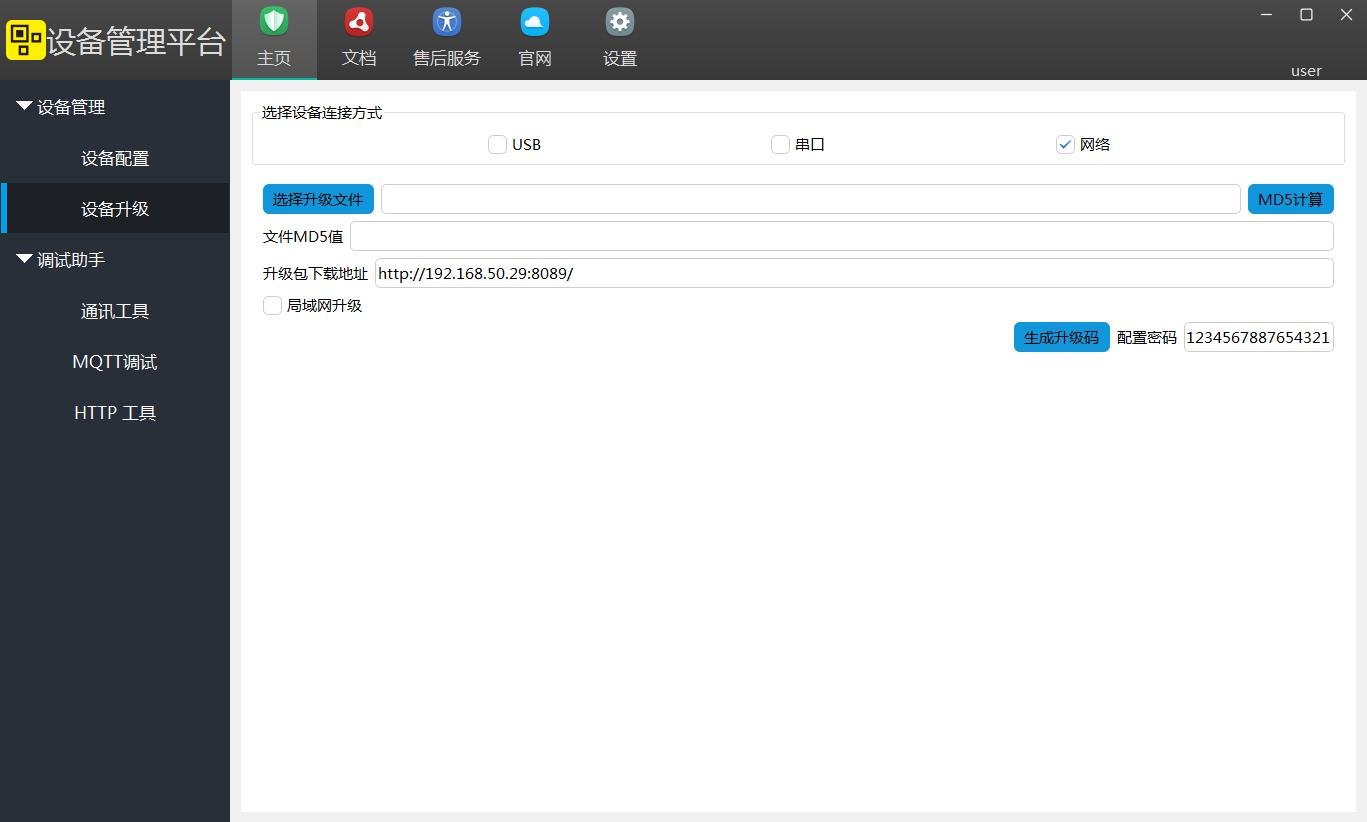
The unit has a reading window, touch screen, status LEDs and connector. Function blocks: reading (QR/RF/password), HMI (boot/main/password/verify/info), local match and door output. Firmware upgradable via backend or tool.
Technical Specifications
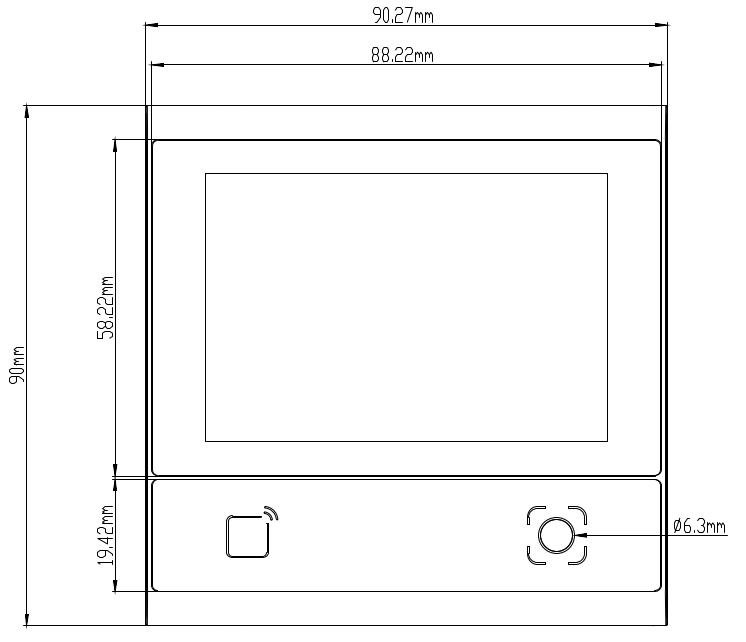
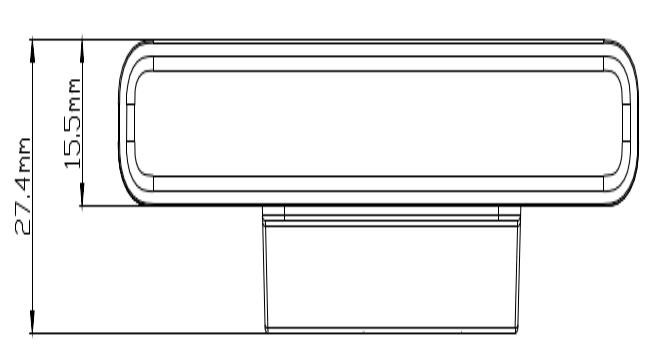
General: 485/Ethernet, door I/F with exit/relay/door-contact; 3.33-inch 320×480 IPS touch; BLE 5.1 (≤25m); users 50000, passwords 50000, cards 100000, IDs 100000, records 200000. Reading: QR/PDF417 and 1D, RF 13.56MHz (M1 ≤38mm). Electrical: DC 9–15V (12V typ), 293mA, 3.52W, relay 30V/1A. Environment: -20℃~60℃, 0–80000Lux. See Specs card.
Interface Definition
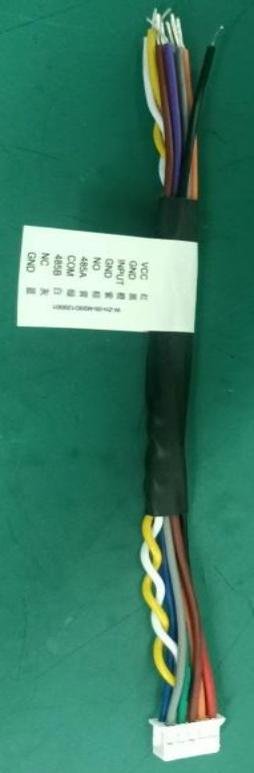
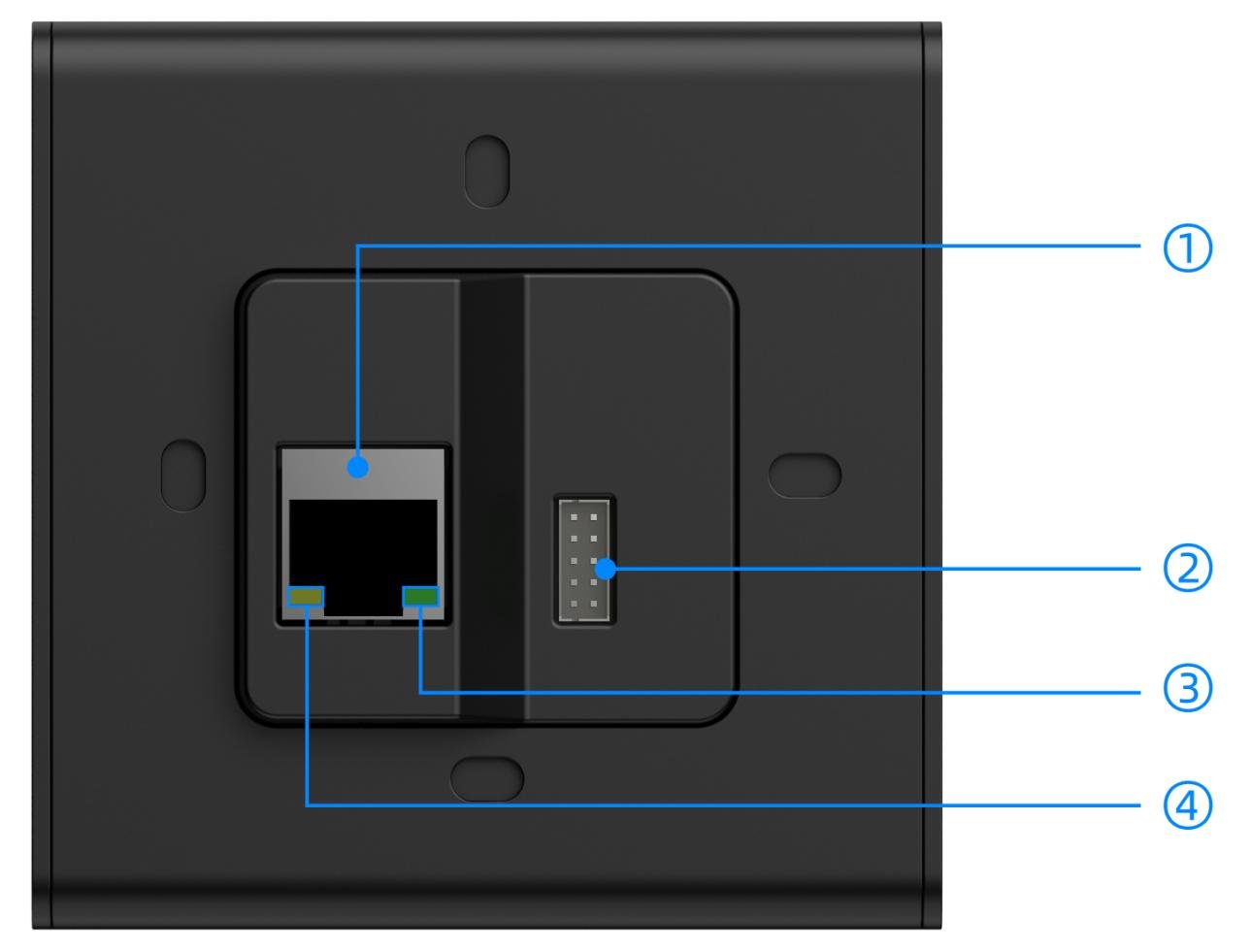
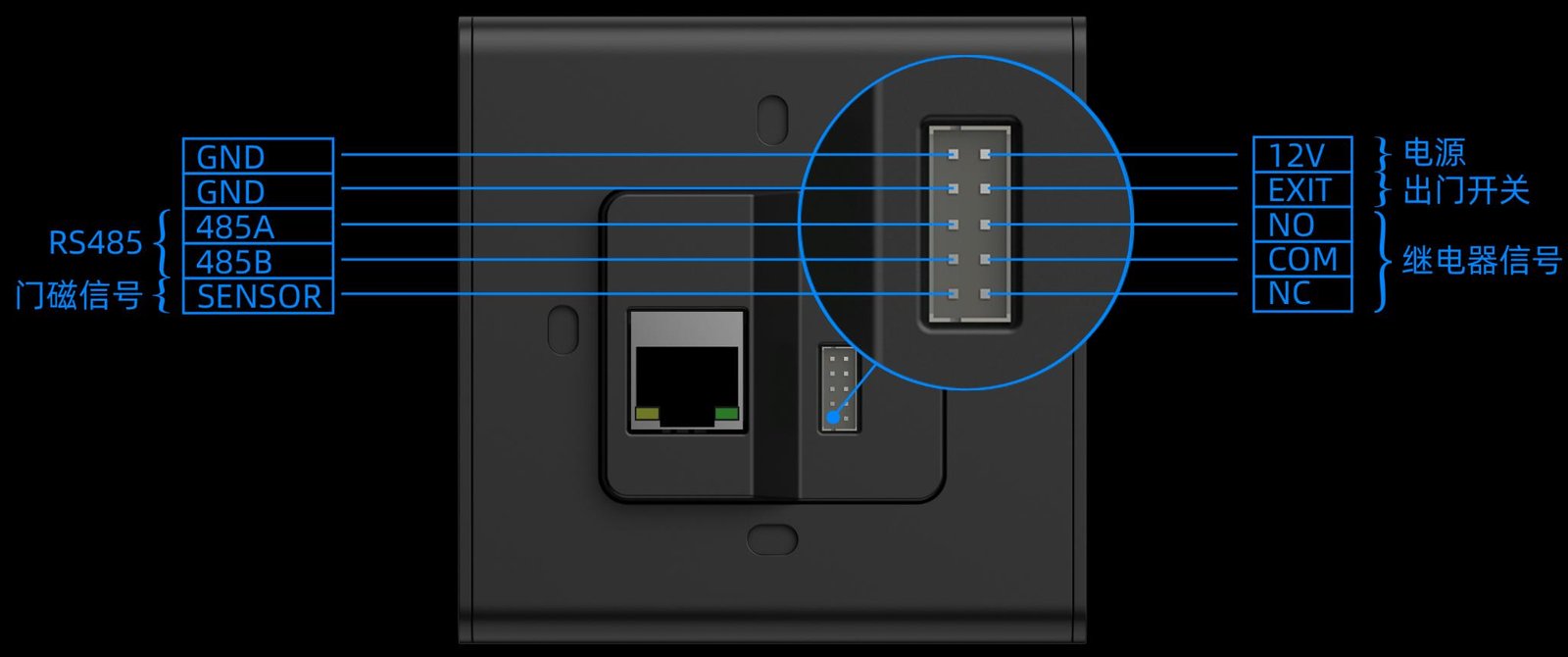
① 100M port; ② connector for power, lock, exit button; ③ green LED (10M); ④ yellow LED (100M).
Installation
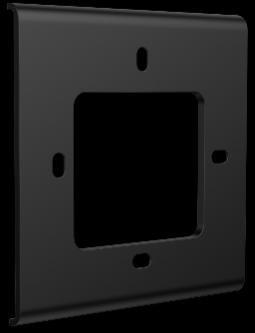
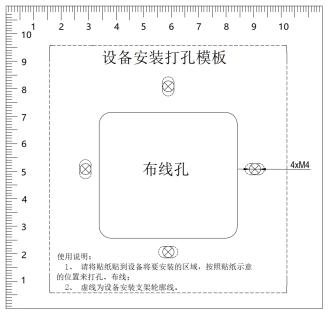
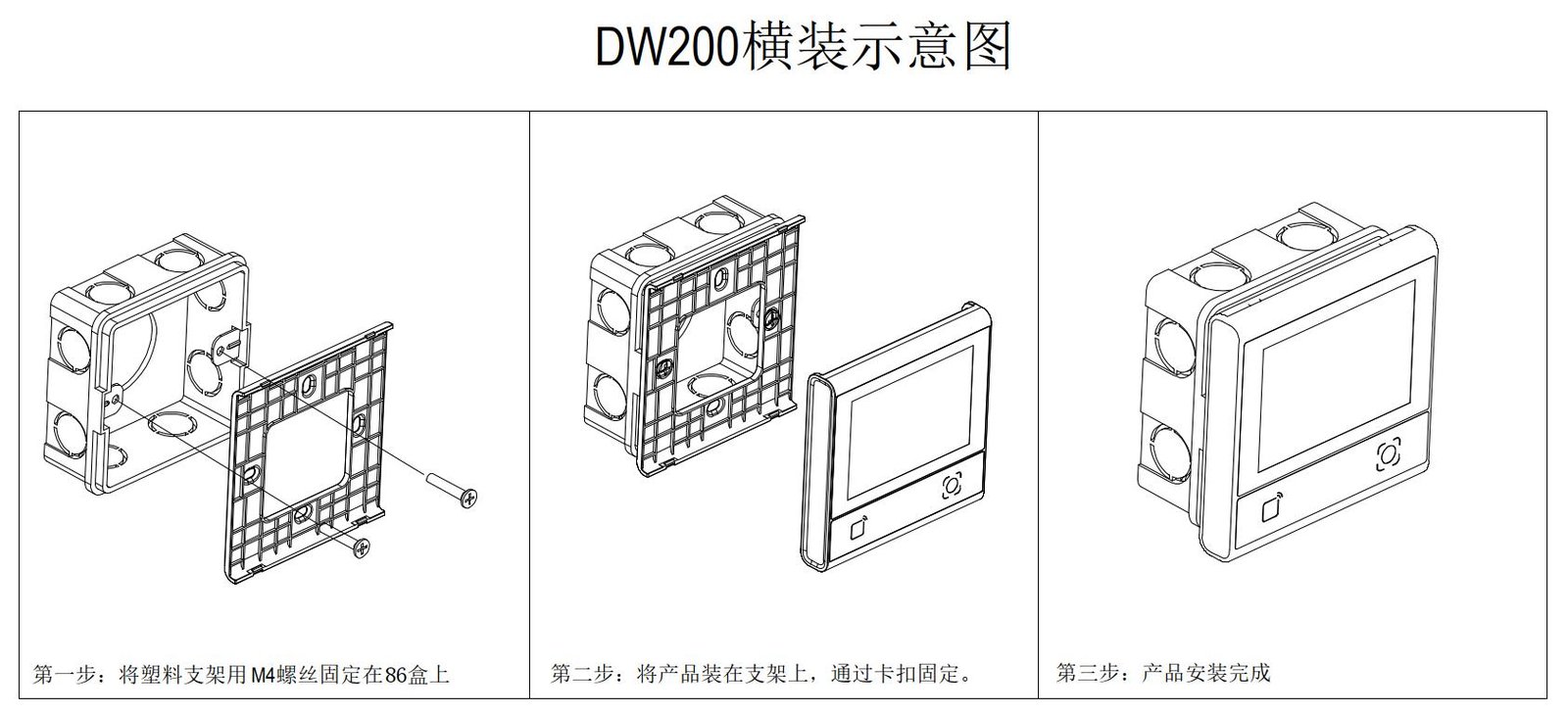
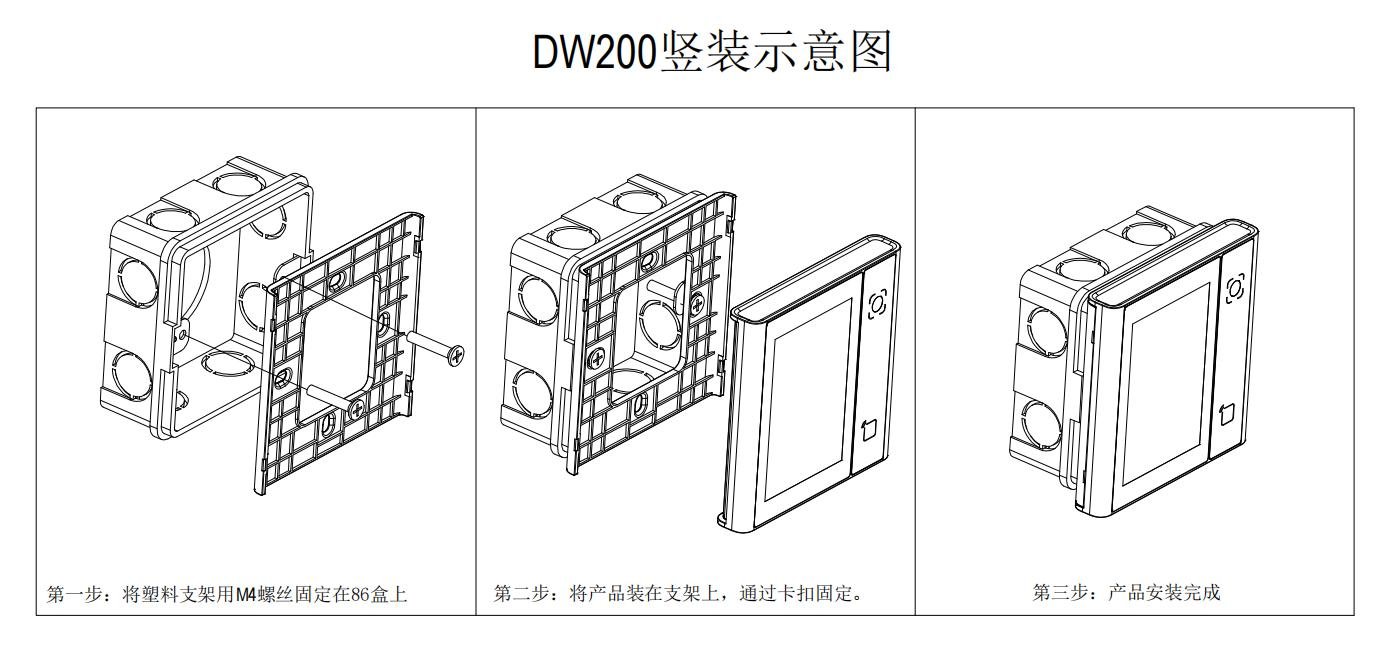
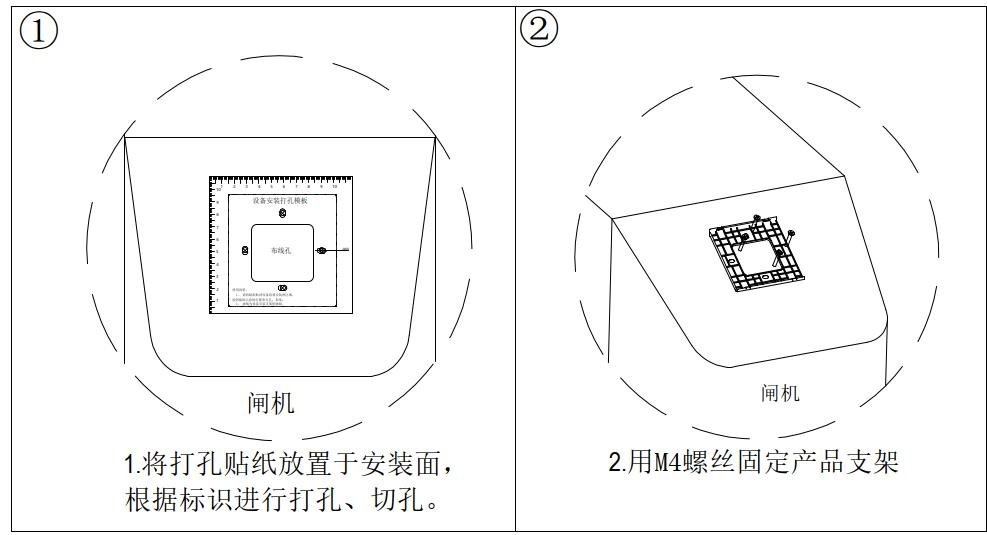
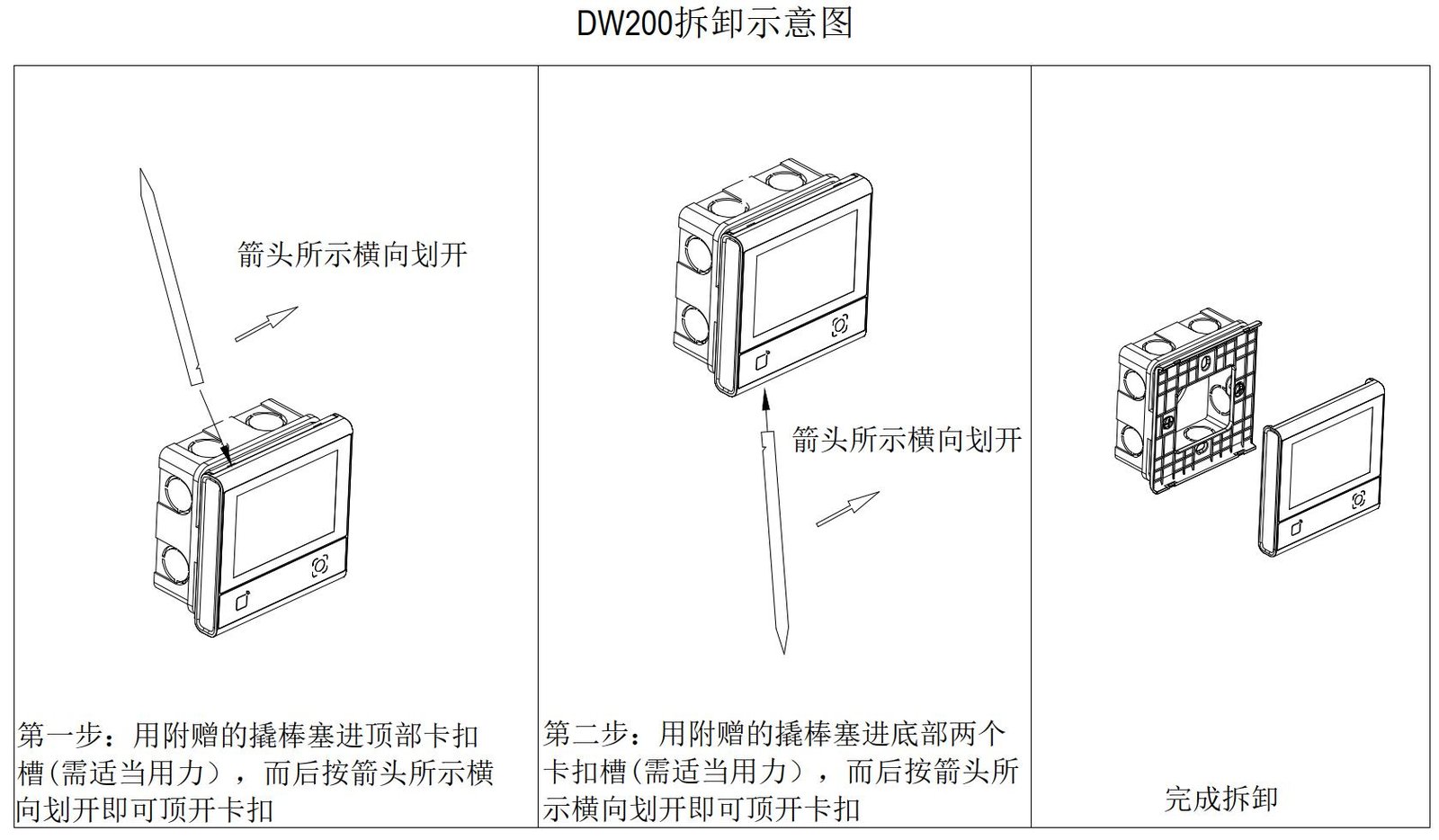
86-box: fix to the box. Non-86-box: drill then mount. Disassembly: use the supplied plastic pry bar, never a metal screwdriver.
Avoid aiming the window at sun or strong lights; keep metal/magnets 10cm from the RF antenna.
Usage Modes
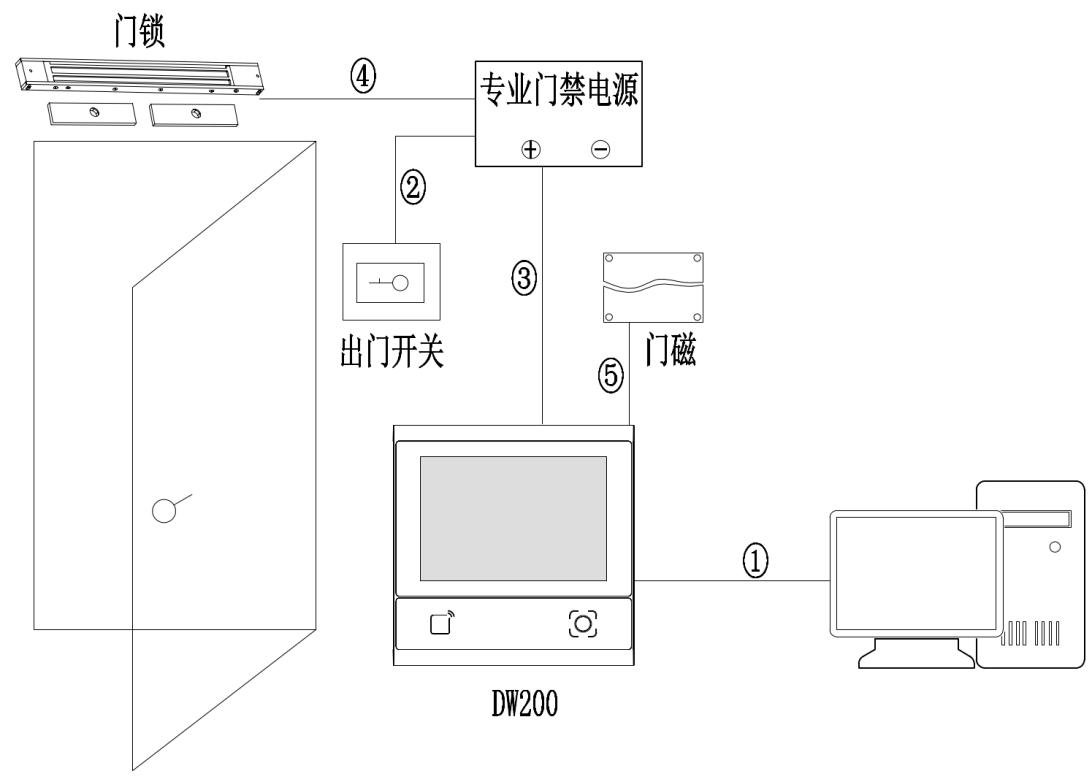
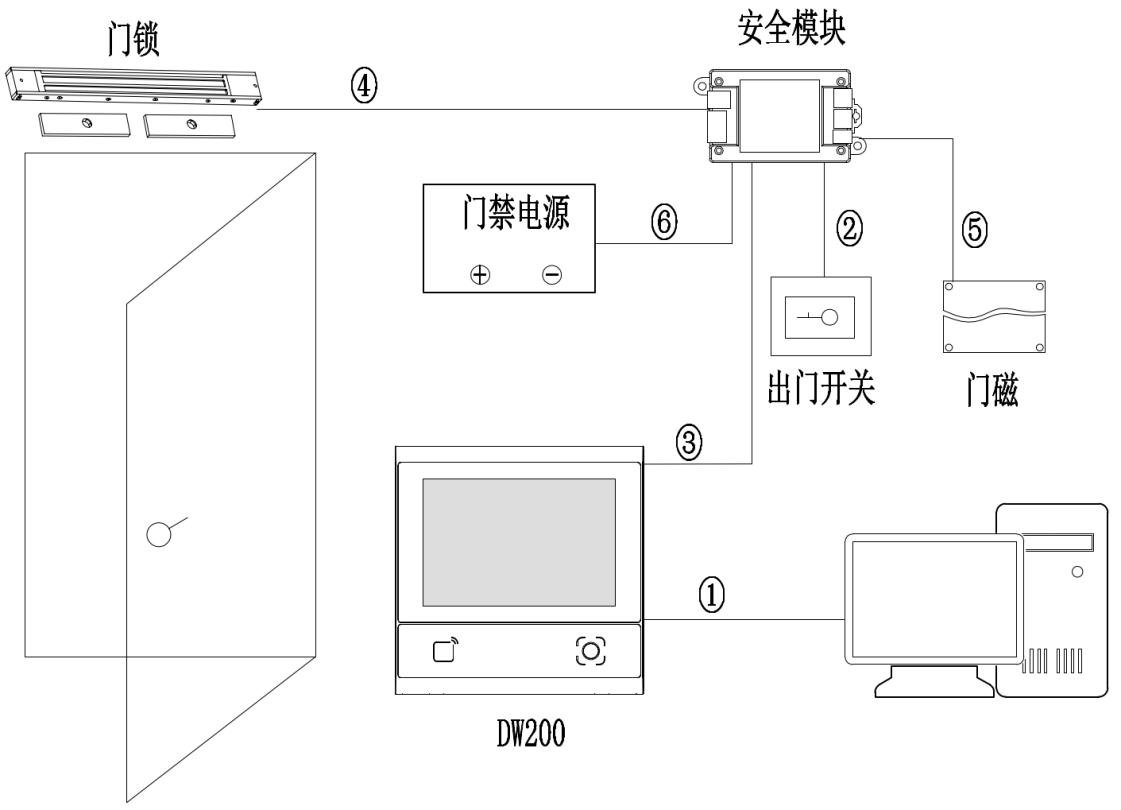
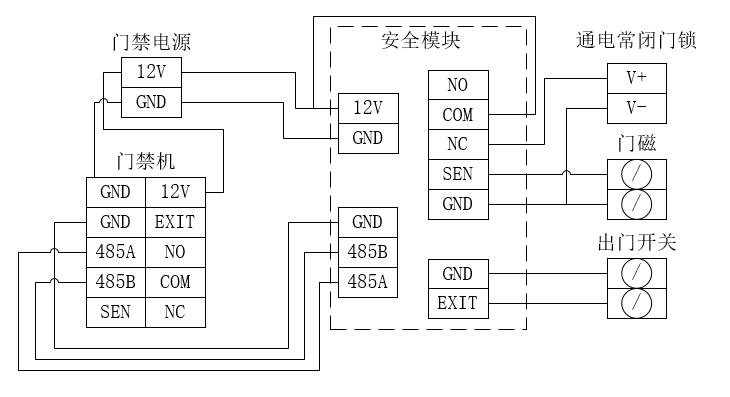
Standalone: local verification and door output, no network. With security module: stricter permission and alarm linkage. Cable: choose compliant network or RVV control cable.
Platform Integration
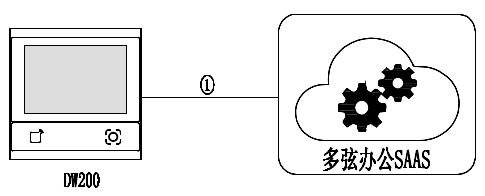
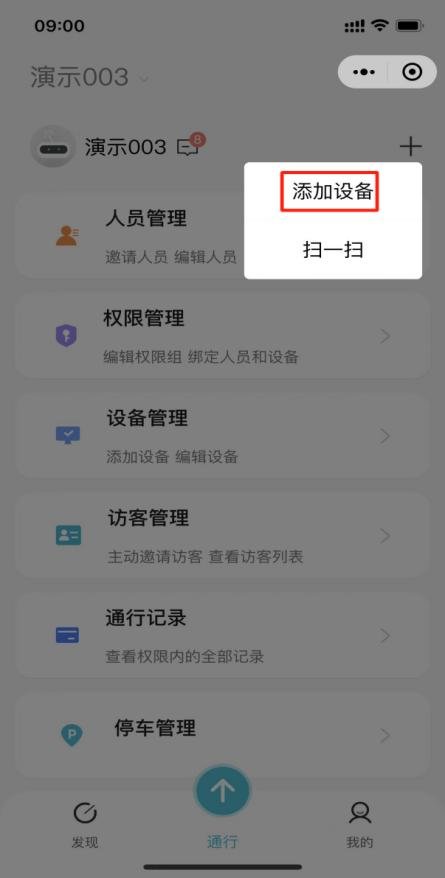
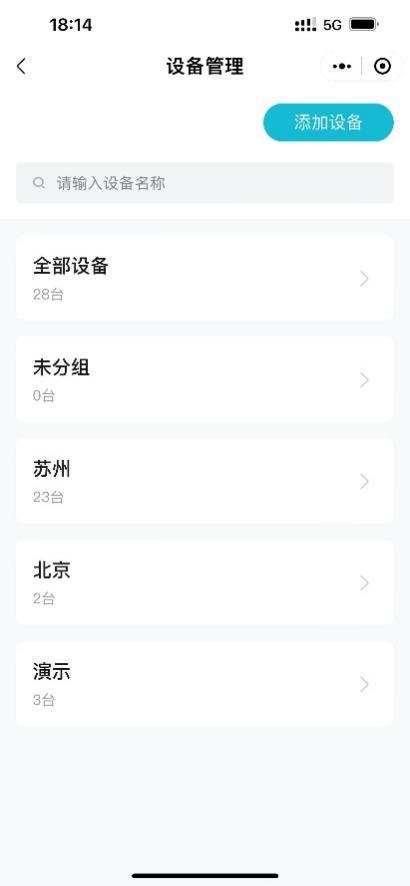
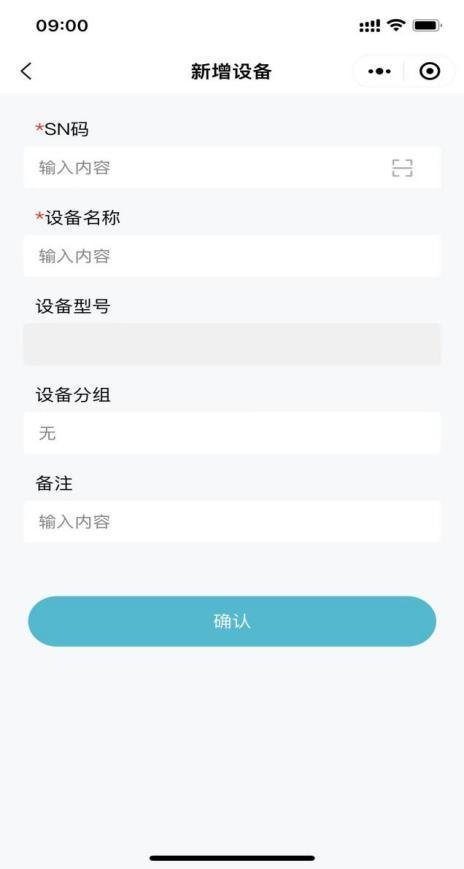
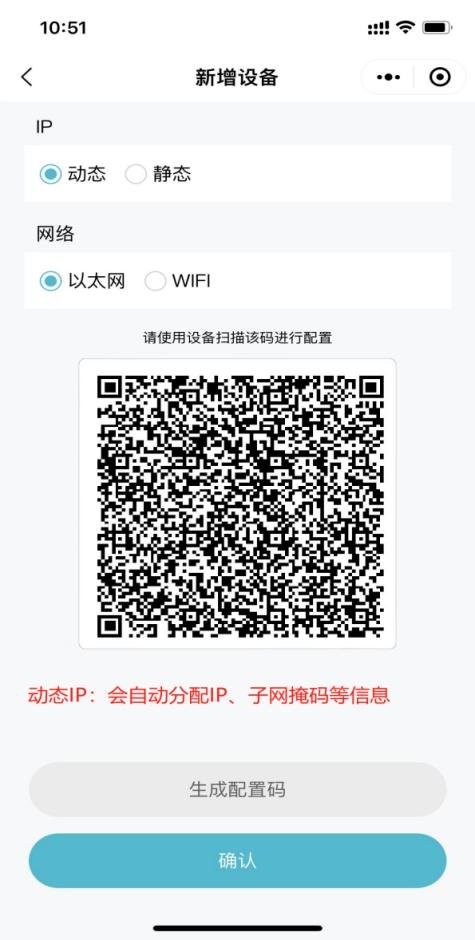
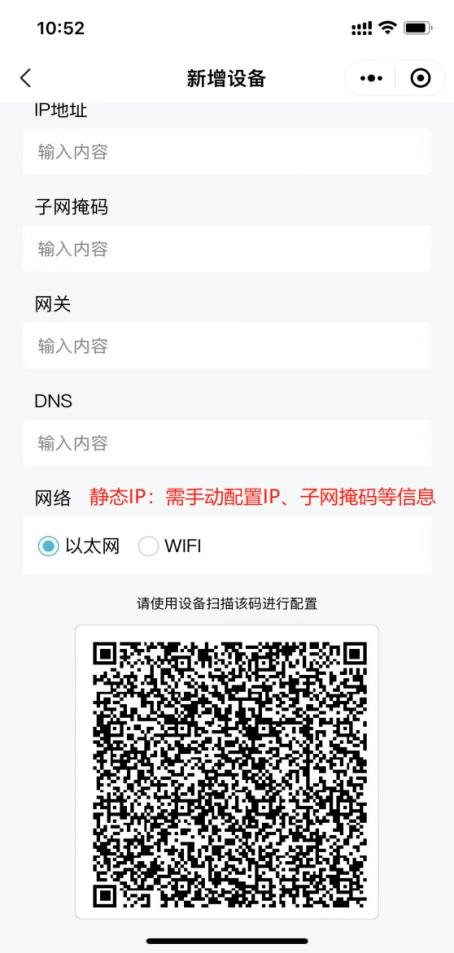
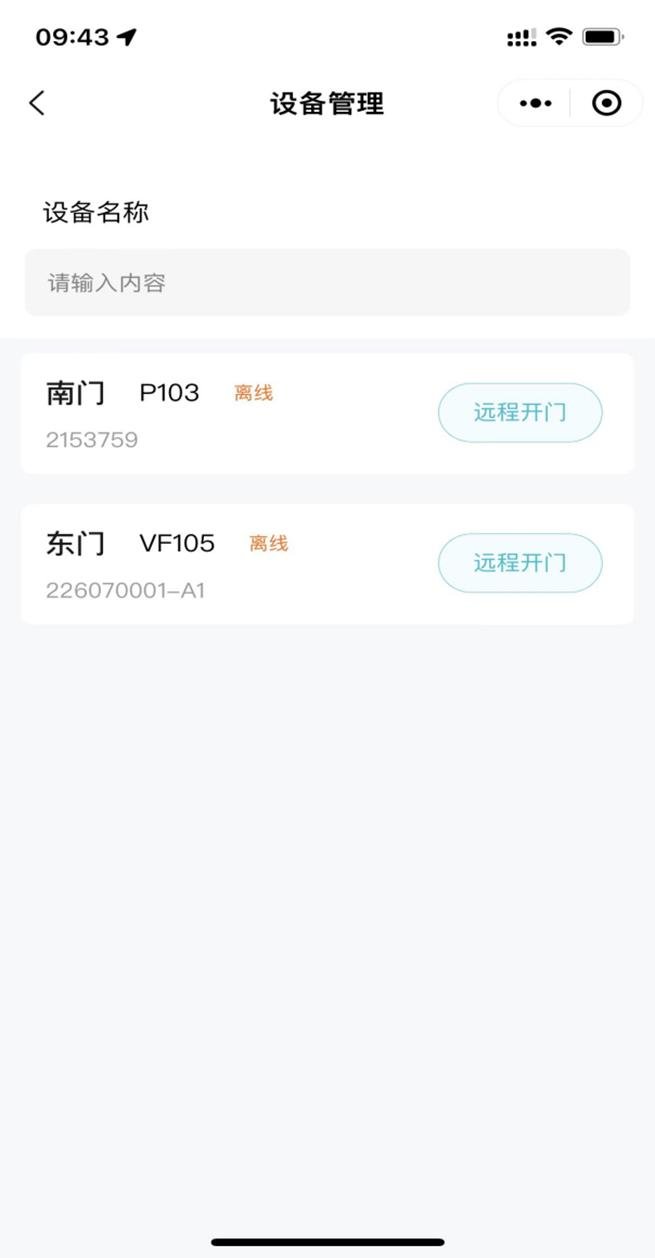
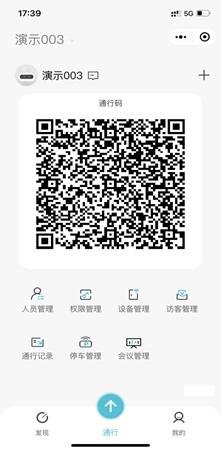
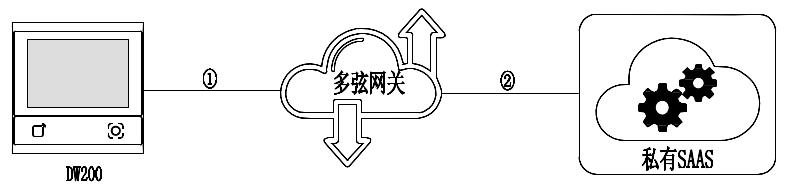
Connect to Duoxian Office: central management of personnel, permissions and records. Connect via Duoxian gateway: gateway-based onboarding and protocol conversion for existing systems. See the platform docs for details.



Installation Notes
Power only after wiring; hot-plug damages electronics. Wait 2s after power-off. Avoid strong light on the window; keep metal/magnets 10cm from RF antenna.
Videotutoriales
Demostración de cableado del terminal de acceso DW200
Ver videoPreguntas Frecuentes
¿Qué capacidad tiene la terminal de acceso DW200?
Admite 50.000 usuarios, 50.000 contraseñas, 100.000 tarjetas, 100.000 números de ID y 200.000 registros de acceso.
¿Cómo me conecto a la plataforma Vguang Cloud?
El dispositivo puede conectarse a la plataforma de oficina Vguang (Duoxian) o vía pasarela para la gestión centralizada de personal, permisos y registros. Consulte la documentación de la plataforma para más detalles.
¿Se pierden los datos tras un corte de energía?
El personal, los permisos y los registros se almacenan localmente y no se pierden al cortarse la energía; la verificación funciona con normalidad al restaurar la alimentación.